
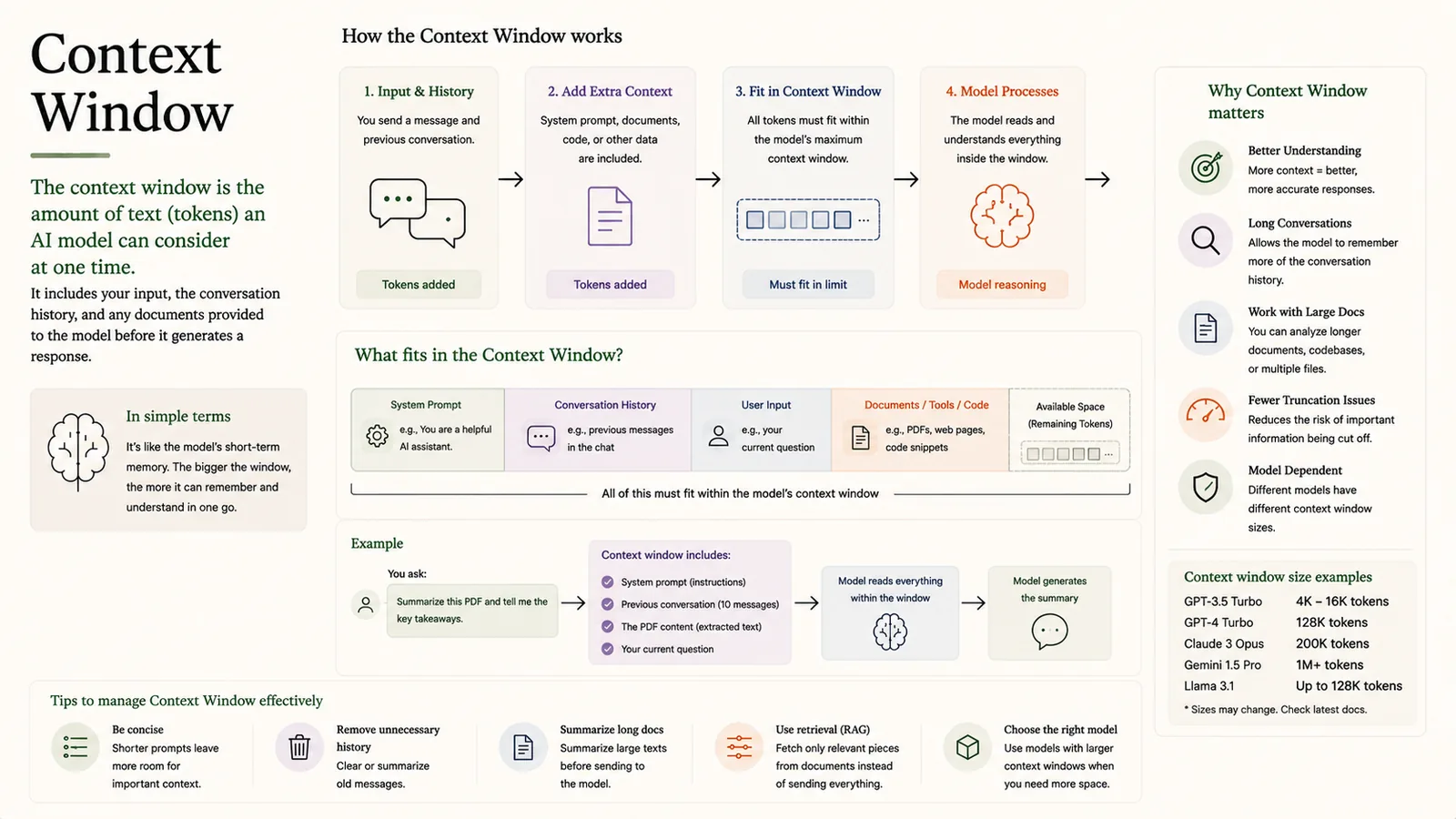
The context window is the amount of text (measured in tokens) an AI model can consider at one time. It includes your input, the conversation history and any documents provided before the model generates a response.
In simple terms
The model's short-term memory — the bigger it is, the more it can consider at once.
How it works
- 1Input & history: your message and previous conversation are added.
- 2Add extra context: system prompt, documents, code or other data are included.
- 3Fit in context window: all tokens must fit within the model's maximum.
- 4Model processes: the model reads and understands everything inside the window.
Key points
- System prompt, chat history, user input and retrieved docs all count toward the limit.
- Bigger windows allow longer conversations and larger documents.
- Sizes vary: e.g. 4K–16K, 128K, 200K, up to 1M+ tokens.
- Manage it by summarising history, trimming input, or using retrieval (RAG).
Why it matters
The context window sets a hard limit on how much a model can 'see' at once. Managing it well — trimming, summarising, retrieving only what's needed — is key to accurate, affordable AI apps.
Frequently asked questions
- What happens when I exceed the context window?
- Older content gets truncated or must be summarised, so the model can lose track of earlier information.
- Do documents count toward the window?
- Yes — the system prompt, history, your question and any attached text all share the same token budget.
More in Tokens & Embeddings
Token
The basic unit of text AI models read and generate.
Tokenization
Breaking text into tokens the model can read.
Tokenizer
Breaks text into tokens the model can understand.
Token Embeddings
Turning tokens into meaningful vectors.
Embedding
Turning words and data into numbers AI understands.
Cosine Similarity
Measuring similarity by the angle between vectors.