
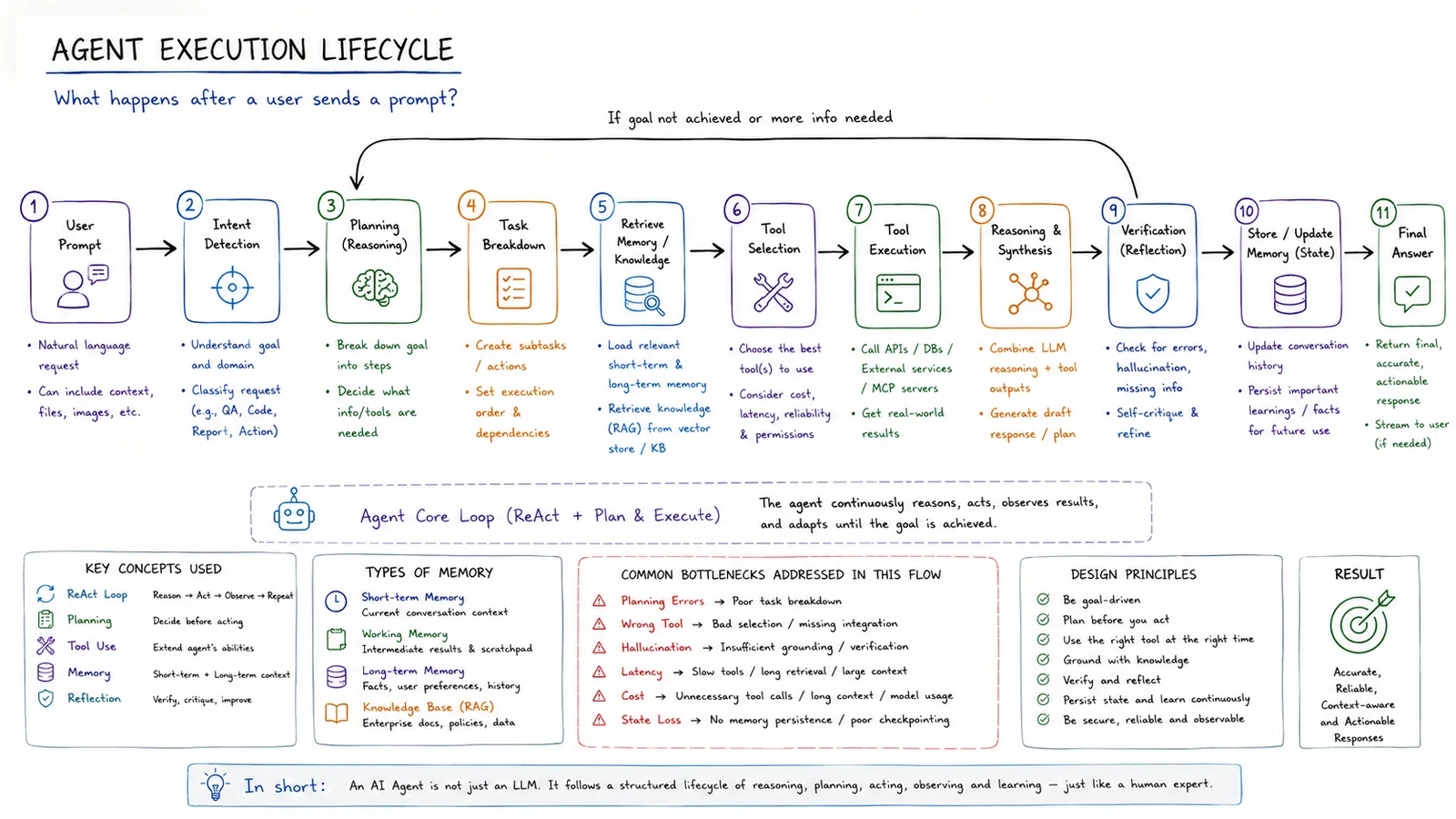
This shows the agent execution lifecycle — what happens after a user sends a prompt. An AI agent is not just an LLM; it follows a structured lifecycle of reasoning, planning, acting, observing and learning.
In simple terms
After a prompt, an agent detects intent, plans, retrieves, uses tools, verifies and answers.
How it works
- 1User prompt → intent detection (understand goal and domain).
- 2Planning: break the goal into steps; task breakdown creates subtasks.
- 3Retrieve memory/knowledge (RAG) and select the best tools.
- 4Tool execution → reasoning & synthesis → verification (reflection).
- 5Store/update memory, then return the final answer (streamed if needed).
Key points
- Core loop: ReAct + plan & execute — reason, act, observe, adapt until the goal is met.
- Uses short-term, long-term and knowledge-base (RAG) memory.
- Common bottlenecks: planning errors, wrong tool, hallucination, latency, cost, state loss.
- Design principles: be goal-driven, ground in data, verify and reflect, be secure and observable.
Why it matters
The execution lifecycle shows why agents are more than a single model call — and where things can go wrong — which is essential for building reliable agents.
Frequently asked questions
- What's the core agent loop?
- ReAct plus plan-and-execute: reason, act with tools, observe results and adapt until the goal is achieved.
- What are common bottlenecks?
- Poor planning, wrong tool selection, hallucination, latency, cost and losing state between steps.