
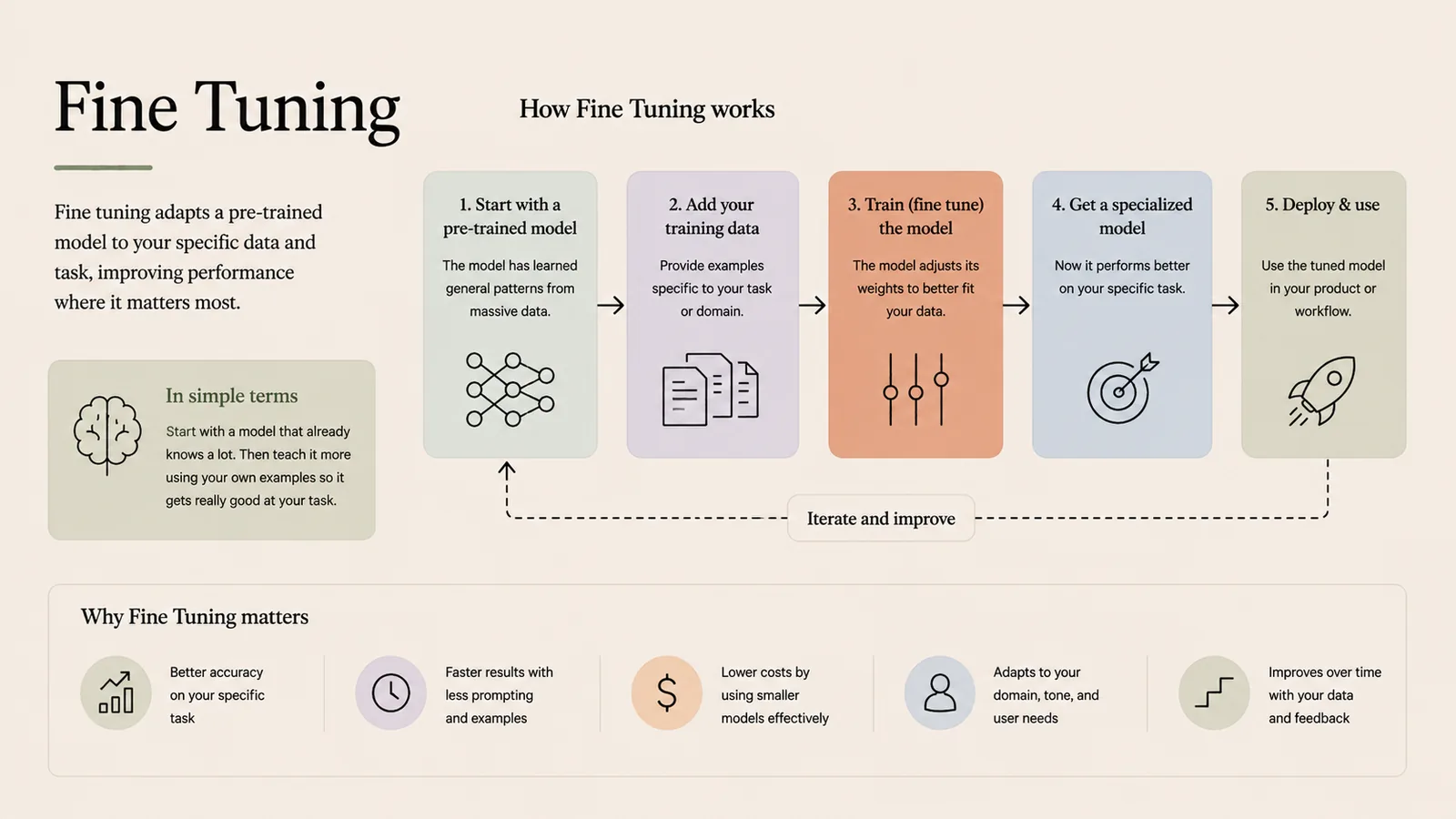
Fine tuning adapts a pre-trained model to your specific data and task, improving performance where it matters most. You start with a model that already knows a lot, then teach it more using your own examples.
In simple terms
Start with a capable model, then train it a bit more on your own data so it excels at your task.
How it works
- 1Start with a pre-trained model that has learned general patterns.
- 2Add your training data — examples specific to your task or domain.
- 3Train (fine tune) the model — it adjusts its weights to fit your data.
- 4Get a specialized model that performs better on your specific task.
- 5Deploy & use the tuned model in your product or workflow.
Key points
- Better accuracy on your specific task or domain.
- Faster results with less prompting and fewer examples.
- Lower costs by using smaller models effectively.
- Adapts tone, style and behaviour to your needs.
Why it matters
Fine-tuning is the tool when you need consistent style or a narrow, repeated task. It bakes behaviour into the model, unlike RAG which injects facts at query time.
Frequently asked questions
- Fine-tuning or RAG?
- Fine-tune for consistent style or a narrow task; use RAG for changing or private facts. They solve different problems.
- Do I need lots of data?
- You need enough good, task-specific examples; techniques like LoRA make efficient fine-tuning possible with less.
More in Agents, Tools & Protocols
AI Agent
An autonomous system that perceives, reasons and acts.
LangChain
A framework for building LLM-powered applications.
MCP (Model Context Protocol)
The universal adapter connecting AI to tools and data.
WebMCP (Web Model Context Protocol)
MCP for the web — AI in the browser using online tools.
Fine-Tuning (Deep Dive)
The full fine-tuning workflow and hyperparameters.
Loop Engineering
Feedback loops that make AI outputs improve over time.