
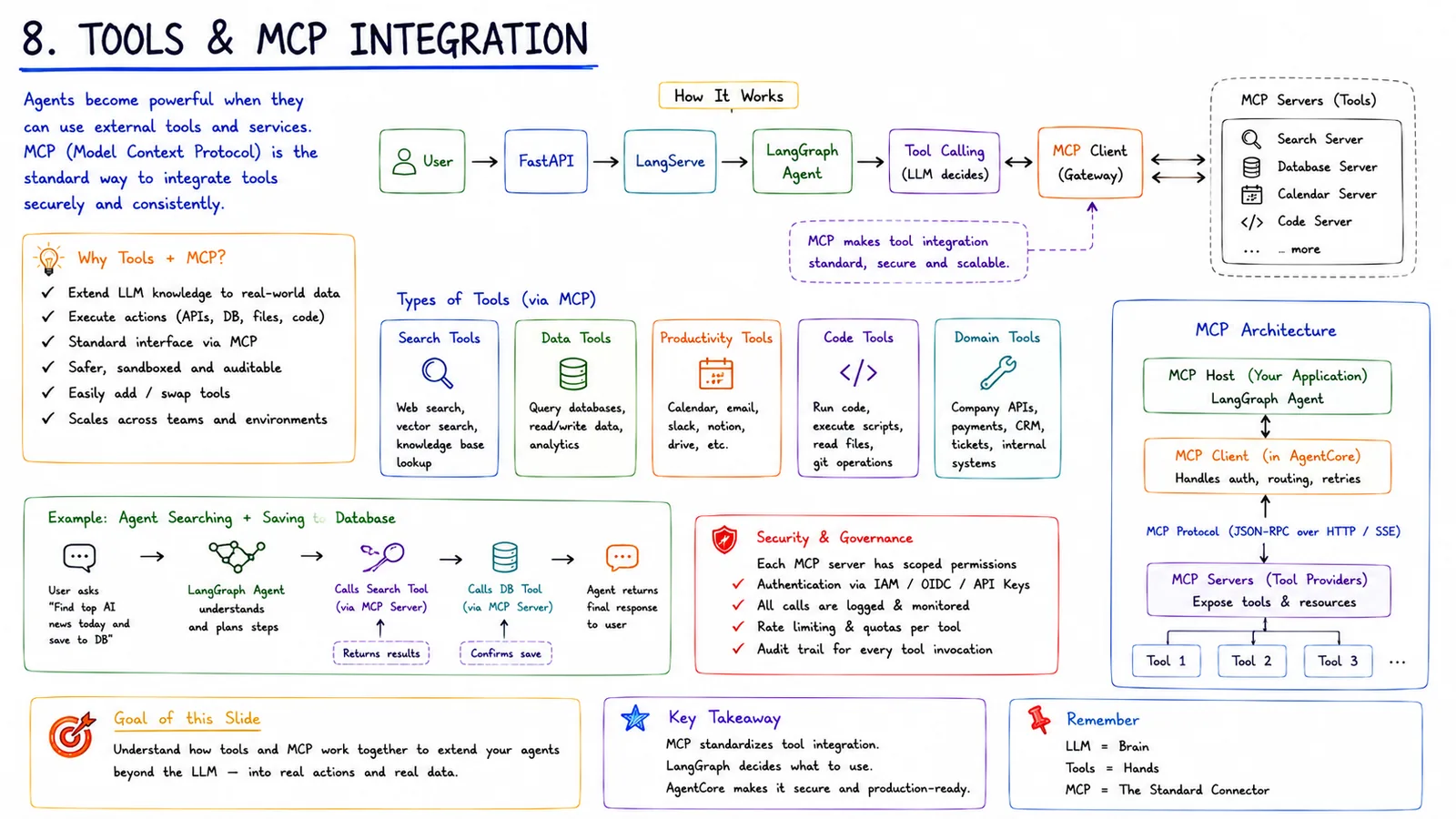
Agents become powerful when they can use external tools and services. MCP (Model Context Protocol) is the standard way to integrate tools securely and consistently.
In simple terms
MCP is the standard connector that lets agents use real tools — search, databases, code, APIs — safely.
How it works
- 1The LangGraph agent decides a tool is needed during reasoning.
- 2The MCP client (in AgentCore) handles auth, routing and retries.
- 3MCP servers expose tools and resources (search, database, calendar, code servers).
- 4The tool runs, and its result is returned to the agent to continue.
Key points
- Tool types: search, data, productivity, code and domain tools.
- Each MCP server has scoped permissions and audited access.
- MCP standardises tool integration so it's reusable across apps.
- Remember: LLM = brain, tools = hands, MCP = the standard connector.
Why it matters
Tools turn an agent from a talker into a doer. MCP makes tool integration standard, secure and reusable instead of custom-built for every app.
Frequently asked questions
- Why use MCP for tools?
- It provides a standard, secure, auditable way to expose tools, so integrations aren't rebuilt per app.
- Who decides when to call a tool?
- The LLM/agent decides based on the task; the MCP client then executes it securely.
More in Production AI Stack (2026)
1 · The Big Picture
The complete end-to-end production AI stack (2026).
2 · User Request Lifecycle
How one request flows through the whole system.
3 · LangChain Ecosystem
How LangChain, LangGraph, LangServe and LangSmith fit together.
4 · LangGraph Orchestration
Stateful, multi-step agent workflows.
5 · AWS Bedrock Integration
How LangChain talks to models through Amazon Bedrock.
6 · Amazon AgentCore
The enterprise runtime for LangChain/LangGraph agents.