
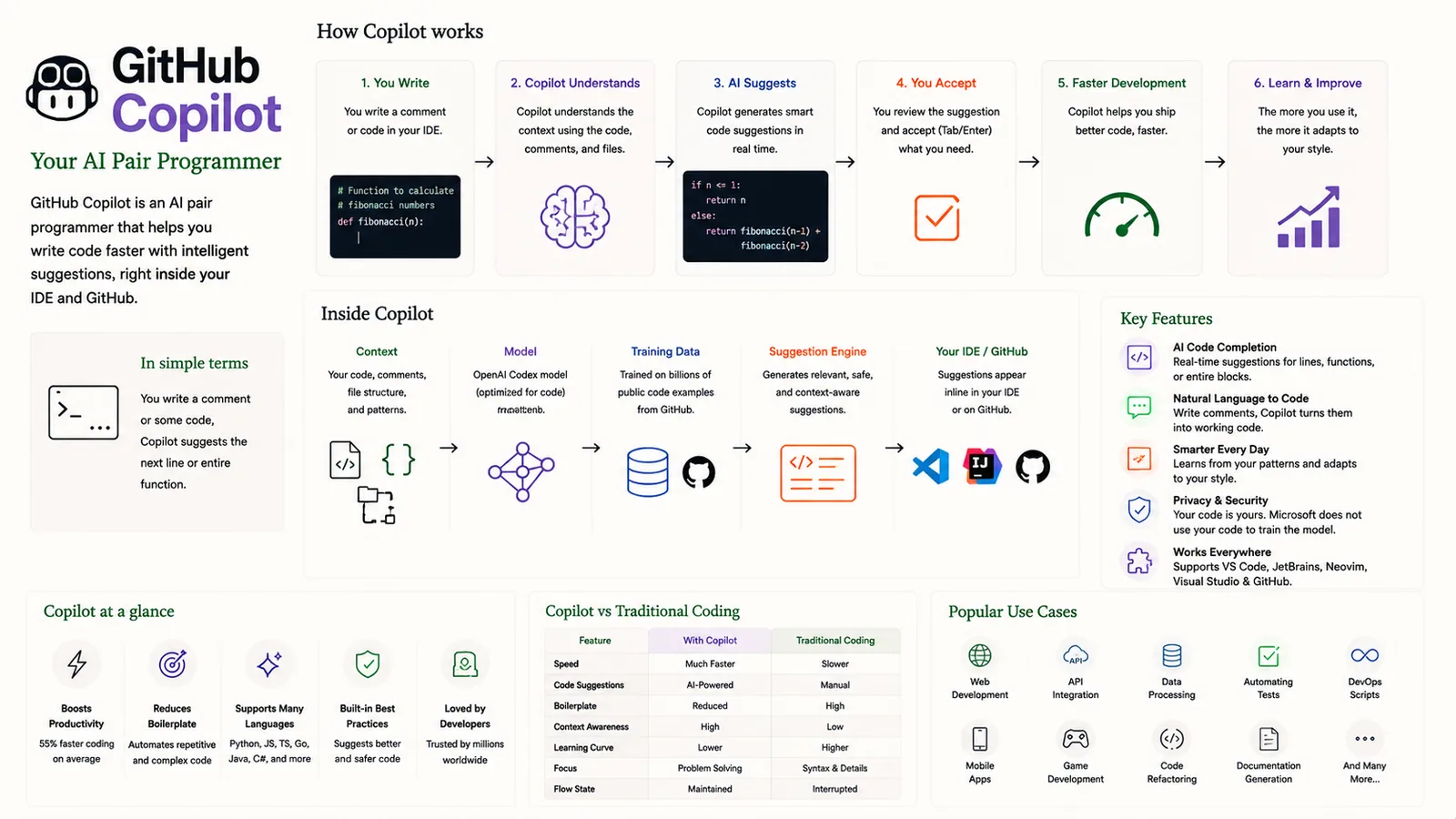
GitHub Copilot is an AI pair programmer that helps you write code faster with intelligent suggestions, right inside your IDE and GitHub. It reads your code and comments and suggests the next line or whole function.
In simple terms
An AI pair programmer that suggests code as you type, inside your editor.
How it works
- 1You write code or a comment in your IDE.
- 2Copilot understands the context of your code, comments and files.
- 3AI suggests smart code completions in real time.
- 4You accept (Tab/Enter) what you need.
- 5Faster development — Copilot helps you ship better code faster.
- 6Learn & improve — the more you use it, the more it adapts to your style.
Key points
- AI code completion for lines and entire functions.
- Natural language to code — write comments and Copilot turns them into code.
- Built on an OpenAI model optimised for code.
- Works across VS Code, JetBrains, Neovim and Visual Studio.
Why it matters
Copilot showed how AI can accelerate everyday coding — boilerplate, tests, refactors and unfamiliar APIs — letting developers stay in flow and ship faster.
Frequently asked questions
- Does Copilot write correct code every time?
- No — it suggests likely code that you should review and test, like any pair programmer's draft.
- Where does it work?
- In popular editors like VS Code, JetBrains IDEs, Neovim and Visual Studio, plus GitHub.
More in Agents, Tools & Protocols
AI Agent
An autonomous system that perceives, reasons and acts.
LangChain
A framework for building LLM-powered applications.
MCP (Model Context Protocol)
The universal adapter connecting AI to tools and data.
WebMCP (Web Model Context Protocol)
MCP for the web — AI in the browser using online tools.
Fine Tuning
Adapt a pre-trained model to your specific data and task.
Fine-Tuning (Deep Dive)
The full fine-tuning workflow and hyperparameters.